
Top Stories
- The Finest Approach to Elevating Senses is AMUSE CANNABIS Your All Question Regarding
- Procure Edge Compute Edge Delivery and Edge Securities Services with StackPath Coupon Code
- Access Infinite Connectivity with XFINITY
- Zyro a professional website with SEO-friendly features and free hosting plans
- Adore Beauty AU Promo and Coupons Codes
- Where to Stay in Las Vegas The Best Trivago Hotels More Affordable than You Think
- It is Time to Save Big with PrettyLittleThing Exclusive Sale
- The Sonu Sleep System Side Sleeping Tech Best Mattresses for Side Sleeper
- The Best Anatomie Kenya Jacket
- Ekster Wallet or Kings Loot Wallet Which One Win
- The Best Nike Shoes Collection
- Ithemes Imperative WordPress Itheme Security Pro
- Saramart UK AU Reviews
- Top 10 Jackets by Palm Angels
- Anatomie Women Sale Items
- Find Your Perfect Peak Design
- GAME-CHANGING CAMERA ACCESSORIES
- How to Backup Your IPhone Data
- Earth Day 2018 (Facts) - A Source to Protect The World
- How to Backup Your Android Data Very Fast & Easily
- Introducing An Amazing Apple Cell Phone With Prices
- Newly Designed iPhone X Features
- Apple’s New Innovation-High In Price But Perfect In Style
- Rumors About iPhone 9 - It Brings Something New
- Wait For IPHONE 9 Is Going to Be Over Soon
- Nintendo Direct Provides A Way Towards Gaming News
- Enjoy High-Level Gaming Through Fortnite Battle Royale
- Instant Repair at Your Doorsteps
- Fastest Phone Repair Service In New York
- Six Pro Tips to Protect Your Cell Phone Screen
- 2 Simple Methods to Fix Broken iPhone Screen at Home
- Fastest Phone Repair Service in New York
- What to do When Your Mobile Responds Strangely - Fix it Up
- Ways to Keep Your Mobile Phone’s Screen Protected and Clean—Its Simple and Effective
- 5 Pro Tips To Keep Your Phone Away From Over Heating In Summers
- 7 Reliable Tips to keep Your Mobile’s Touchscreen Safe and Protected
- Most Common Smartphones Repair Seen By Smart Fix Technicians
- How to Judge When It’s Time to Replace Your Mobile`s Battery
Are you familiar with iPhone 5c? If no, then let me tell you about iPhone 5c. IPhone 5c is one the stylish model of Apple. It has a perfect led display with crystal clear camera. It operates on iOS 7 and has memory storage up to 32 GB. Above them all there are also many amazing features an iPhone 5c have. Mobile Phone is very important for everyone. It is also necessary to buy such type of phone that fulfil all your requirements. Hence iPhone 5C is that model which has all the qualities that o good phone consists of.
As mobile phone is an electronic device, sometimes user face few problems in their mobile phones. One of the most occurring problems is that sometimes mobile phone never turns on. Then what can you do if you have an iPhone 5c and it doesn`t turn on? Following are the different procedures that provide you with the guide if iPhone 5c won`t turn on
KICKSTART IPHONE 5C:
Recharge the iPhone 5c:
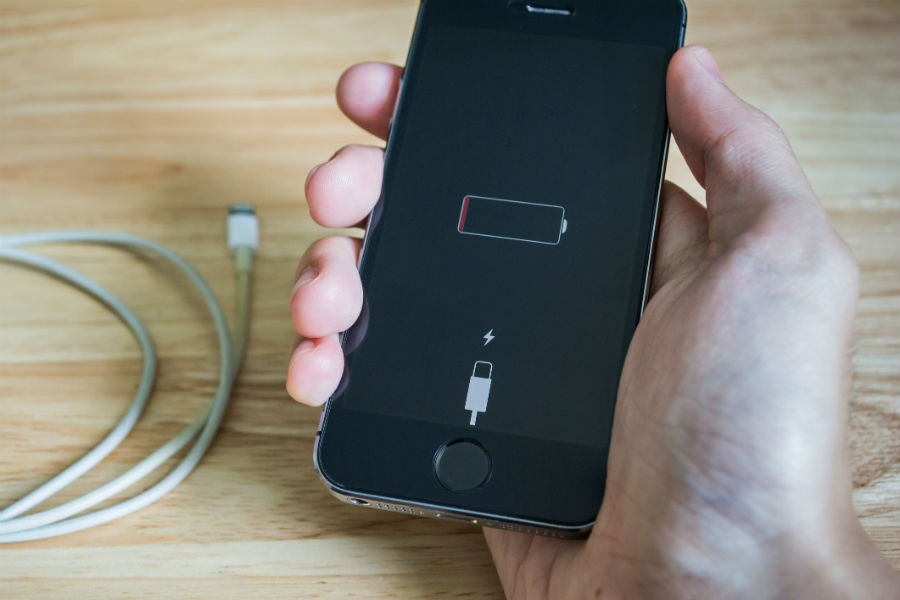
It also happens that while using your mobile phone the battery is totally drained and the device is turn off. Therefore if your iPhone 5c is not turn on then it might be possible that the battery is totally discharged. IPhone cannot be open until and unless it has a minimum charging of its battery. Hence connect the iPhone to the charger and wait for a while. When the battery is totally drained, then the iPhone will take some time to start. So don`t worry if your iPhone is not turn out quickly after connecting the charger. But if your iPhone shows red filler and turns off after three flashes, so it means that your iPhone 5c is not accepting the charging power. One important thing you should keep in mind that always connect the iPhone 5c with the high powered port of the USB.
RESTART IPHONE 5C:
Try to restart iPhone 5c. How can you restart it? Press the wake button along with the home button for minimum 10 seconds. After pressing, when you see the red slider or the dim screen the keep pressing it until or unless the apple logo show on the screen.
Simply reset iPhone 5c:
If your iPhone 5c won`t turn on then restart it. To restart your iPhone 5c, tap on the `setting` option then go to `general` and select `reset all setting`. By doing this your iPhone 5c is again set to the factory default setting by keeping your data safe.
Restore the device:
Another way is to do a backup and then restore it. For back install the latest version of iTunes. After that connect your iPhone 5c with PC or MAC. After connecting it, select the iPhone 5c under the device option in the iTunes. Now make sure that all your data, contacts, pictures and videos are sync. Then click on the `summary` and then select `restore` option. But before doing restore make sure that all your data is backed up accurately. Then after pressing restore wait to restore all the data and fix on your home screen.
Recovery mode activation:
After doing the above process if your iPhone 5c screen still won`t turn on then activates the recovery mode. By doing recovery you can lose all your stored data in the iPhone. So make sure that you have backup all your data on iCloud or on your PC. For recovery connect the usb cable in the PC. While pressing the home screen button, connect the iPhone to the USB. Hence, release the home button when you see `connect to iTunes screen`. By doing this your iPhone 5c is set to recovery mood and after the finish of the process your iPhone 5c turn on.
If all the above steps are fails. Then don`t worry we will guide you another solution through which your iPhone 5c screen turn on for sure
SMART FIX- PERFECT GUIDE IF IPHONE 5C WON`T TURN ON:
Smart fix is one of the best iPhone repair company in New York. It fixes all type of the phone`s issue. Whether your phone is not working or even damaged smart fix has a solution for all iPhone problems. Therefore if your iPhone 5c won`t turn on then contact to smart fix. Smart fix provides all the services at your door step. Where ever you are, just call us and tell about your device issue. Without wasting a lot of time we will come to your place and repair your iPhone issue. The technician we provide you for the services are highly skilled in their work and make your device work within 60 minutes.
We charge a reasonable price for our services. You can pay us in cash or by debit or credit cards. No need for advancement payment. Complete payment will be done after the services.